
Salesforce-native email automation
Email Outreach Tool (EOT)
Automate Outreach Without Steep Learning Curve and Platform cost
Send personalized emails, schedule follow-ups, and reach Salesforce Report and Campaign audiences directly from Sales Cloud
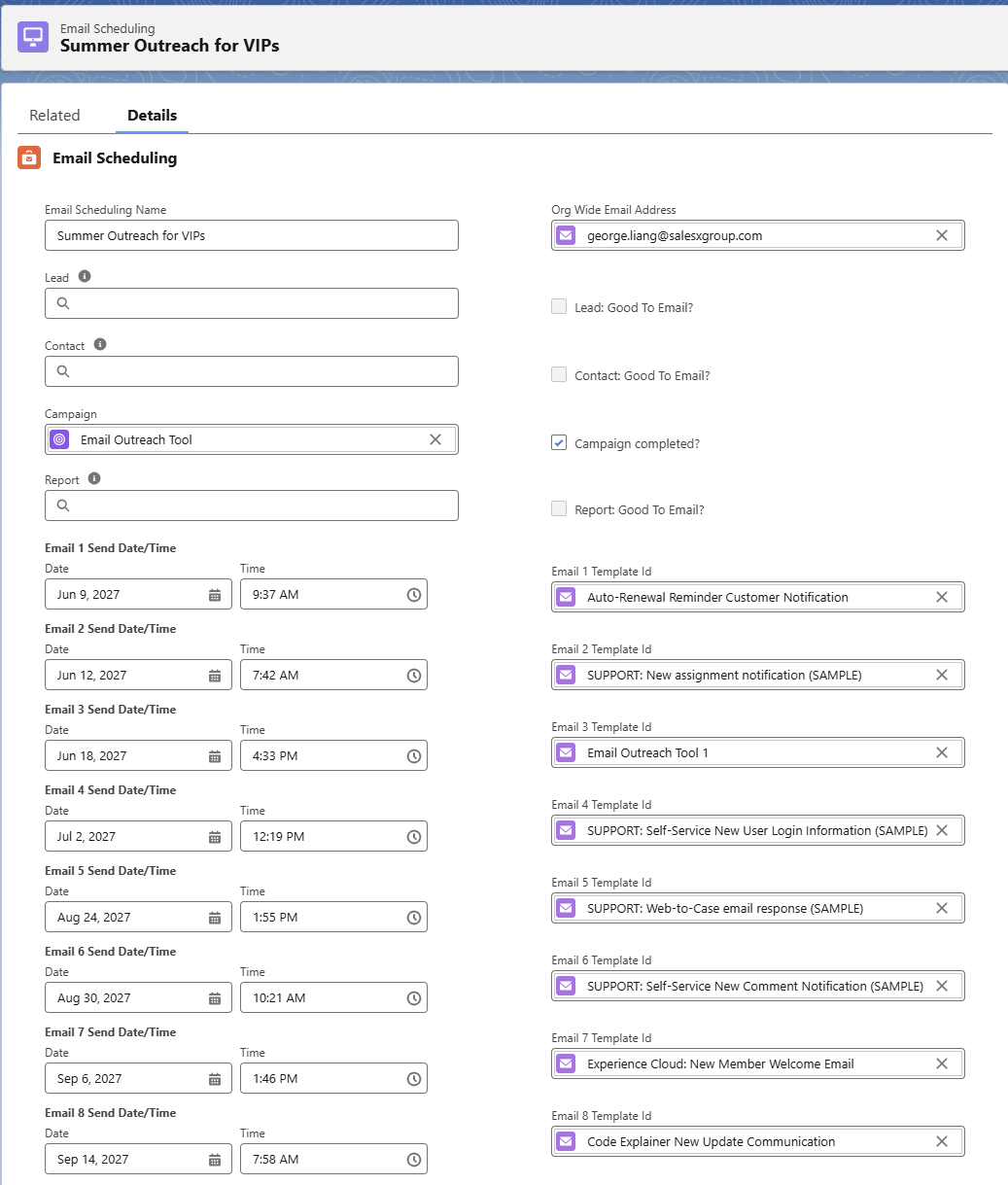
Cost-Effective Salesforce Email Automation
EOT makes email outreach simple and affordable. With an intuitive interface, teams can send bulk emails, automate follow-ups, and manage cadences directly in Salesforce. No more relying on Marketing for every send or investing in expensive automation platforms. Become trained in 15 mins.
Core Capabilities
Salesforce-native sending
Target Leads and Contacts using existing Salesforce Reports and Campaigns.
Scheduled cadences
Plan multi-step follow-ups, recurring messages, and reminders.
Personalized templates
Use CRM data to customize approved email messages.
CRM visibility
Track outreach activity alongside the customer records teams use.
Automation controls
Use configured conditions to pause or stop follow-ups.
Unsubscribe management
Support communication preferences and consent requirements.
Email Outreach Use Cases
Automate communication across the prospect and customer lifecycle.
FAQ
Email Outreach Tool (EOT) is a Salesforce-native email automation app that lets teams send bulk emails, schedule campaigns, and create automated follow-up sequences without leaving Salesforce. It simplifies outreach for Sales, Service, and Marketing teams without requiring a complex marketing automation platform.
Yes. Email Outreach Tool (EOT) lets users send bulk emails directly from Salesforce Campaigns and Reports. Using Reports, teams no longer have to export lists or import records into Salesforce. Teams can target audiences using Campaign Members or live Salesforce Report filters, making it easy to send personalized mass emails, schedule communications, and automate follow-ups while keeping outreach activity within Salesforce.
Yes. EOT supports multi-step email cadences that automate follow-ups based on schedules, engagement, and Salesforce record data. Teams can use these sequences for prospecting, lead nurturing, customer communications, renewal reminders, and other recurring outreach.
EOT is an affordable, Salesforce-native email automation solution designed for teams that value simplicity and ease of use. It complements Salesforce Sales Engagement and Marketing Cloud, offering a streamlined option for organizations with straightforward outreach needs. Compared with Mailchimp, EOT delivers comparable core email outreach capabilities with the advantage of keeping audience management, automation, and activity tracking directly in Salesforce. For teams evaluating Outreach or Salesloft, EOT provides essential email cadences and bulk sending at a significantly lower cost, without the complexity of a broader sales engagement platform.
EOT starts at $12 per user per month, with a minimum of two licenses. A free 14-day trial is available through Salesforce AppExchange. Its straightforward pricing makes Salesforce email automation accessible to small teams and growing organizations without the expense of enterprise marketing automation software.
Yes. Email Outreach Tool installs from Salesforce AppExchange and is designed for straightforward setup. System Administrators receive access after installation; other users need the Email Outreach Tool User permission set. Configure sending permissions, consent, and your domain authentication before launching.
Yes. EOT logs email activity to Salesforce Lead or Contact records, supports reporting on outreach performance, and includes automated unsubscribe management. Configure sender authentication and comply with applicable email consent requirements before sending.